Overview
KARTOZA · NEOVIM
timvim is not a bare editor — it is a curated distribution. On top of plain Neovim it layers language servers, fuzzy finding, git tooling, AI assistance, debugging, a themed dashboard and dozens of quality-of-life plugins, all wired together declaratively so they simply work the moment you launch.
This page is the map. It shows what is in the box and why — every add-on grouped by the job it does. When you hit a task ("how do I search?", "where is git?", "what gives me completion?"), find the family here, then jump to the matching page in the User Guide.
The add-ons at a glance
The diagram below is generated automatically from timvim's live configuration, so it always reflects exactly what ships today.
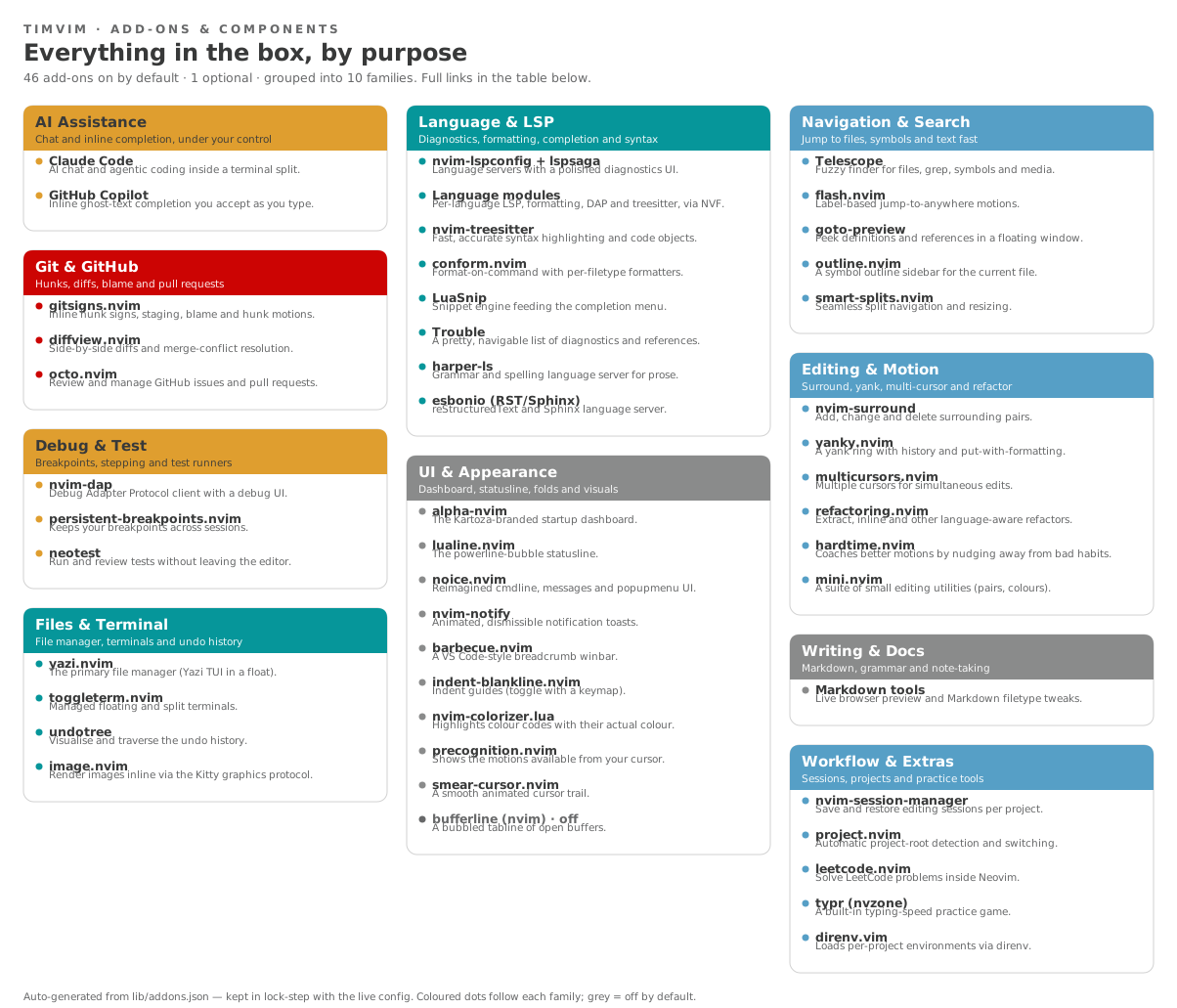
For the full list — every add-on with a one-line purpose and a link to its upstream project — see Add-ons & Components.
How the families fit together
-
AI Assistance
Claude Code for chat and agentic edits; Copilot for inline ghost text. Optional and transparent — see the AI policy.
-
Language & LSP
Diagnostics, formatting, snippets and treesitter syntax for every supported language. See Diagnostics & LSP.
-
Navigation & Search
Telescope, flash motions and the Yazi file manager. See Navigation & Search.
-
Git & GitHub
Gitsigns hunks, Diffview and Octo for pull requests. See the Git Workflow.
-
Debug & Test
nvim-dap with persistent breakpoints and Neotest. See Debugging.
-
UI & Appearance
The dashboard, statusline, notifications, folds and the Kartoza theme. See the Design Aesthetic.
Kept honest automatically
The diagram and the Add-ons table are generated by
lib/gen-addons-docs.py from lib/addons.json, which is drift-checked
against the config/ tree at build time. Add or remove a plugin and the
docs build fails until this Overview is updated — so it can never quietly
fall out of date.