Which-Key Menus
Auto-generated
This page is generated from timvim's live keymaps. The group membership and counts come straight from the configuration.
Press Space (the leader) and pause: the which-key popup lists every group. Each group gathers related actions under one letter.
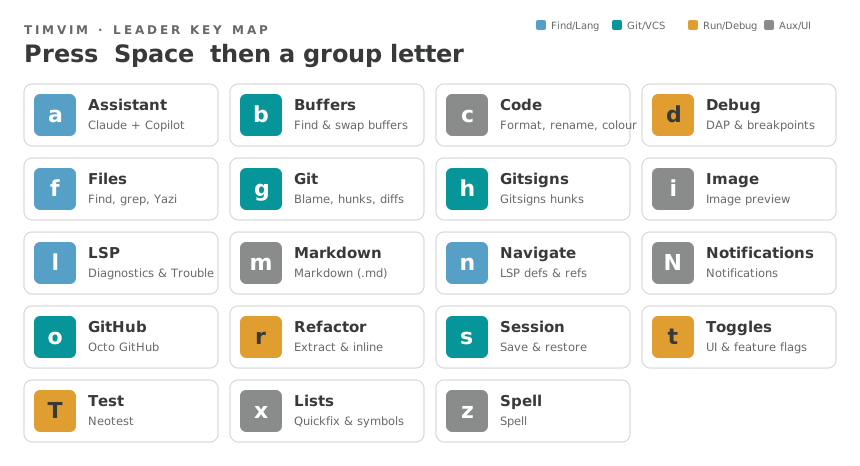
Top-level groups
| Prefix | Group | Bindings |
|---|---|---|
<leader>a |
Assistant | 8 |
<leader>b |
Buffers | 5 |
<leader>c |
Code | 8 |
<leader>d |
Debug | 21 |
<leader>f |
Files | 27 |
<leader>g |
Git | 8 |
<leader>h |
Gitsigns | 8 |
<leader>i |
Image | 1 |
<leader>l |
LSP | 5 |
<leader>m |
Markdown | 2 |
<leader>n |
Navigate | 7 |
<leader>N |
Notifications | 5 |
<leader>o |
GitHub | 23 |
<leader>r |
Refactor | 8 |
<leader>s |
Session | 5 |
<leader>t |
Toggles | 17 |
<leader>T |
Test | 7 |
<leader>x |
Lists | 3 |
<leader>z |
Spell | 6 |
Non-leader groups
| Prefix | Group | Bindings |
|---|---|---|
gp |
Goto Preview | 4 |
gz |
Surround | 3 |
gZ |
Surround (line) | 2 |
See also
For every key in a group — with modes and actions — see the Full Keymap. For the physical-key view, see the Keyboard Layouts.