Completion Keys
Auto-generated
Generated from the live configuration — blink-cmp keys from the completion config, Copilot keys from the running editor.
timvim has two completion systems, kept deliberately apart:
- blink-cmp — the structured completion menu (LSP, snippets, paths).
- Copilot — inline ghost text you accept directly, no menu.
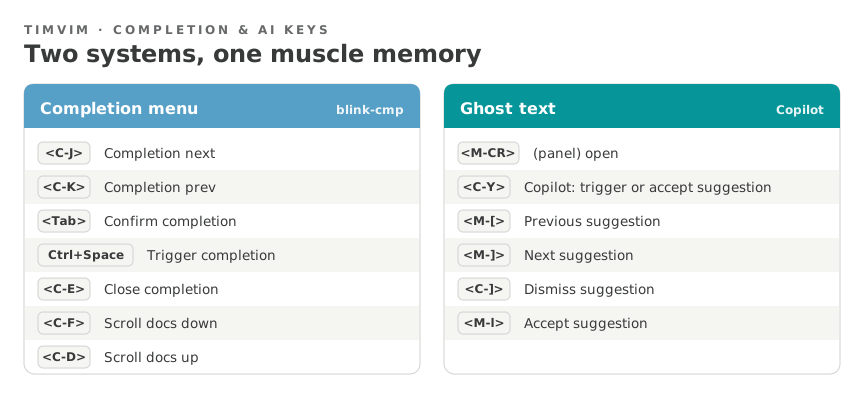
Completion menu — blink-cmp
| Key | Action |
|---|---|
<C-J> |
Completion next |
<C-K> |
Completion prev |
<Tab> |
Confirm completion |
Ctrl+Space |
Trigger completion |
<C-E> |
Close completion |
<C-F> |
Scroll docs down |
<C-D> |
Scroll docs up |
Ghost text — Copilot
| Key | Action |
|---|---|
<C-Y> |
Copilot: trigger or accept suggestion |
<C-]> |
Dismiss suggestion |
<M-CR> |
(panel) open |
<M-[> |
Previous suggestion |
<M-]> |
Next suggestion |
<M-l> |
Accept suggestion |
How to tell them apart
A popup list you scroll is blink-cmp. Faint grey text inline after the cursor is Copilot ghost text.